India
 Singapore
WhatsApp Business Calling API for Complex Support Queries
-
 By Smartping
- Nov 20, 2026
- WABA
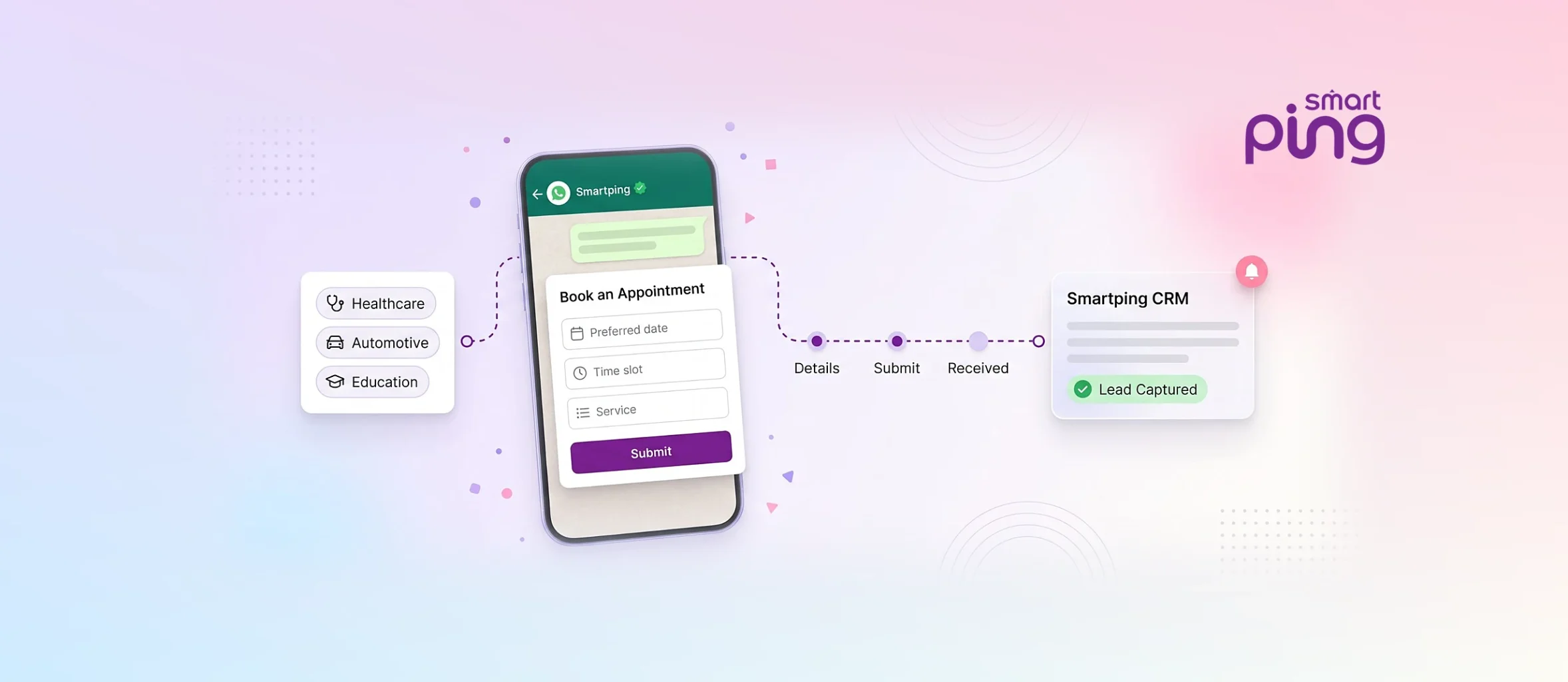
Table of Contents
- 1. What Are WhatsApp Flows and How Do They Work Inside the Chat?
- 2. Where Flows Replace Web Forms and App Screens?
- 3. How Flows Connect to Your CRM and Booking Systems?
- 4. What to Plan Before You Build Your First Flow?
- 5. How to Measure Flow Completion and Drop-Offs?
- 6. Make Customer Interactions More Actionable with Smartping
- 7. Frequently Asked Questions
WhatsApp Business API Flows are interactive, multi-screen forms that customers can open, complete, and submit without leaving a WhatsApp conversation. They help businesses collect information, guide customers through bookings, and structure service enquiries instead of relying on long message exchanges. Smartping brings guided WhatsApp flows into enterprise communication journeys, enabling an organized and actionable customer interaction experience for businesses.
For customer experience (CX), product, and operations teams, the value is straightforward: customers can complete a defined task within a familiar messaging environment, while businesses collect information in a more structured format.
Key Takeaways
-
In-chat forms: WhatsApp Business API Flows are multi-screen forms that customers open, complete and submit without leaving WhatsApp.
-
Best-fit use cases: Appointment and test-drive bookings, lead capture and admission screening, and guided support requests.
-
Integration decides the value: Submitted details should reach your CRM, booking system or support team, with a clear owner for the next step.
-
Plan before you build: Give each Flow one objective, ask only what you need, order questions logically and keep a route to a human agent.
-
Measure the whole journey: Track open, completion and screen-level drop-off rates alongside qualified leads and confirmed bookings.
What Are WhatsApp Flows and How Do They Work Inside the Chat?
A regular WhatsApp conversation often develops through a series of individual questions and replies. A customer asks about an appointment, an agent requests their preferred date, the customer responds, and another message asks for additional details. This approach works for simple enquiries, but it can become difficult to manage when businesses handle hundreds or thousands of similar interactions.
WhatsApp Business API Flows introduce a more structured alternative. Instead of asking customers for every detail through separate messages, a business can guide them through a sequence of screens with relevant information and input fields.
A typical interaction follows this pattern:
-
Flow initiation: The customer receives a message containing an option to open a guided experience.
-
Information collection: The customer moves through screens and provides the requested details using the available input options.
-
Submission: The completed information is submitted through the Flow.
-
Business follow-up: The business uses the collected details to continue the interaction, process the request, or direct it to the appropriate team.
For example, a healthcare provider could guide a patient through an appointment request by collecting their preferred appointment details. An automotive business could structure a test-drive enquiry around the customer’s vehicle interest and preferred schedule.
The key difference is that customers don’t have to navigate a separate website or switch between multiple communication channels just to complete a basic form.
Where Flows Replace Web Forms and App Screens?
A web form is useful when customers need to provide detailed information, explore multiple services, or complete a complex transaction. However, redirecting someone from an ongoing WhatsApp conversation to an external page can introduce another step.
This is where WhatsApp Business API flows become relevant. They allow businesses to move selected form-based tasks into the conversation itself.
That does not mean every website form or app screen should be replaced. The better approach is to identify specific interactions where a short, guided experience can make information collection easier.
Appointment and Test Drive Booking
Appointment scheduling often involves collecting the same basic details repeatedly. A customer may need to select a service, indicate a preferred date, and provide contact information before a team can confirm availability. A structured Flow can organize these questions into a single experience. For example, in the case of healthcare providers, the interaction might collect:
-
The type of appointment requested
-
The preferred date or time
-
The relevant department or service
-
Contact details for confirmation
Smartping’s healthcare communication solutions include appointment scheduling and patient communication across their applications. A guided booking experience can help organize the initial request before the healthcare team handles confirmation and any further coordination.
In another case, automotive businesses can use a similar approach for test-drive enquiries. A prospective buyer could identify a vehicle of interest, select a preferred dealership or location, and submit a suitable time preference. The sales team then has a clearer starting point for arranging the visit.
The distinction between a booking request and a confirmed appointment is important. A flow can collect preferences, but actual availability and confirmation depend on the business’s connected booking process.
Lead Capture and Admission Screening Forms
Lead generation becomes more useful when businesses understand what a prospect is looking for before assigning the enquiry to a sales or admissions team.
Consider an education provider receiving enquiries from students through Click-to-WhatsApp campaigns. Instead of starting with an open-ended conversation, the business can use a Flow to collect information such as:
-
Course or program of interest
-
Educational qualification
-
Preferred intake
-
Location
-
Preferred time for counselling conversation
This gives the admissions team context before its first interaction with the prospect.
Smartping’s WhatsApp Ads Guide, which explains how in-chat forms can collect details such as course interest and preferred intake. The guide also highlights Learnwise’s use of a WhatsApp Business API Flows screening form for higher-education lead qualification.
For businesses exploring WhatsApp API for lead generation, the practical benefit is not simply collecting more contact details. It is collecting information that helps teams distinguish between different enquiry types and determine the appropriate next step.
Guided Support and Service Requests
Customer support teams frequently receive enquiries that require the same initial information. A service request, for instance, may need an order reference, the nature of the issue, and the customer’s preferred resolution.
This is particularly useful when an organization manages different support categories. A customer could identify whether the request concerns an existing service, a pending transaction, or a general enquiry. The information can then help the support team understand the context before responding.
Smartping’s WhatsApp Business Messaging offering combines guided WhatsApp Flows with conversational AI-powered bots and live-agent support capabilities. These features serve different purposes: a flow structures information collection, while a bot can handle conversational queries and an agent can take over when human assistance is needed.
How Flows Connect to Your CRM and Booking Systems?
Collecting customer information is only one part of the process. The information must reach the team or system responsible for acting on it.
Without a defined follow-up process, even a well-designed Flow can create another queue of unanswered requests.
For enterprise teams, integration planning should establish what happens after a customer submits the form. For example, a lead enquiry may need to reach a CRM, while an appointment request may need to be checked against a booking system.
Smartping’s WhatsApp Business Messaging product page identifies several integration areas:
| Integration area | How it supports the workflow |
|---|---|
| CRM | Captures lead information and helps transfer prospects to sales teams for follow-up. |
| Knowledge base | Supports responses to common customer questions. |
| Contact center | Helps route enquiries to live agents when assistance is required. |
| Inventory management | Connects inventory-related information and alerts with business communication. |
| Order management | Helps businesses check the status of ongoing, delayed, or canceled orders. |
Before implementing a Flow, teams should decide which information needs to be captured, where it should be recorded, and who is responsible for the next action.
For instance, if an automotive prospect submits a test-drive request, the sales team should receive enough context to follow up without asking the customer to repeat the same details. Similarly, an appointment enquiry should reach the appropriate healthcare team rather than remaining in a general messaging inbox.
This is where WhatsApp Business API for automation becomes more meaningful. The objective is not to automate every conversation. It is to connect information collection with the business process that follows.
What to Plan Before You Build Your First Flow?
A useful flow begins with a clearly defined customer task. Starting with the available form fields or screens before identifying the actual requirement can result in an experience that collects unnecessary information.
CX, product, and operations teams should agree on a few fundamentals before development begins.
Define one primary objective
Decide what the customer should accomplish. Is the Flow intended to collect an appointment request, qualify a lead, or categorize a support enquiry? Keeping the objective focused makes the interaction easier to design and manage.
Ask only for necessary information
Every additional question requires customer effort. If the sales team only needs a course preference, location, and contact details to arrange an initial counselling call, collecting unrelated information at this stage adds little value.
Organize questions in a logical order
Begin with the information customers can provide easily, then move towards details that help the business process the request. Use clear labels and answer options that customers can understand without additional explanation.
Define the next step after submission
Decide whether the submitted information should reach a CRM, booking system, or support team. Also establish who will review incomplete requests and how customers will receive confirmation.
Plan for exceptions
Customers may select an unavailable date, provide incomplete details, or need assistance that the Flow cannot address. Establish a clear route to a human agent or an alternative support process rather than leaving the interaction unresolved.
Review the customer experience before launch
Test the Flow on different devices and review the wording, navigation, and submission process. Internal testing should include both successful submissions and situations where customers change their answers or leave before completing the interaction.
How to Measure Flow Completion and Drop-Offs?
Launching a Flow is not the same as establishing that it works well. Businesses need to understand whether customers can complete the intended task and whether the submitted information helps teams move forward.
A practical measurement framework should examine the entire interaction, from opening the Flow to completing the resulting business action.
| Metric | What it helps measure |
|---|---|
| Flow open rate | How many recipients open the guided experience. |
| Completion rate | The proportion of opened Flows that are successfully submitted. |
| Screen-level drop-off | Where customers leave before completing the experience. |
| Invalid or incomplete submissions | Whether questions or input requirements create confusion. |
| Qualified lead rate | How many submitted enquiries meet the business’s qualification criteria. |
| Booking completion rate | How many booking requests progress to confirmed appointments. |
| Agent handoff rate | How frequently customers need human assistance. |
These metrics should be interpreted together. A high completion rate may indicate that the form is easy to finish, but it does not necessarily mean the business is receiving useful leads.
For example, an education provider might receive many completed admission enquiries but discover that a large proportion come from students interested in programs the institution does not offer. Reviewing the questions and answer options could help the admissions team collect more relevant information.
Similarly, a healthcare provider should distinguish between appointment requests submitted through a Flow and appointments actually confirmed by the scheduling team.
The most useful WhatsApp Business API workflow is therefore one that improves both the customer interaction and the business process behind it.
Make Customer Interactions More Actionable with Smartping
A customer should not have to navigate a complicated process to complete a straightforward task. Whether the objective is collecting an appointment request, qualifying an admission enquiry, or organizing a support interaction, a guided experience can make the next step clearer for both the customer and the business.
At Smartping, we help enterprises bring these interactions into a connected communication environment through WhatsApp Business Messaging, Guided WhatsApp Business API Flows, conversational AI, and integration capabilities. Our focus is on making customer communication easier to manage while helping businesses connect enquiries with the teams and systems responsible for acting on them.
Explore our complete WhatsApp Business API guide to understand the wider platform and its enterprise applications.
Frequently Asked Questions
What Are WhatsApp Flows?
WhatsApp Flows are interactive, multi-screen experiences within WhatsApp that allow customers to complete forms and provide information without leaving the conversation. Businesses use them for bookings, enquiries, and structured support interactions.
Can WhatsApp Flows Collect Lead Details?
Yes. Businesses can use WhatsApp Flows to collect relevant information such as contact details, location, course interest, and preferred appointment times. This information can support lead qualification and sales follow-up.
Do Customers Need to Leave WhatsApp to Fill a Flow?
No. Customers can open and complete a supported WhatsApp Flow within the WhatsApp interface. They do not need to navigate to a separate website simply to submit the information requested in the Flow.
Which Industries Use WhatsApp Flows the Most?
WhatsApp Flows are relevant to industries that need structured customer interactions, including healthcare, automotive, and education. Common applications include appointment requests, test-drive enquiries, and admissions screening.
Can WhatsApp Flows Connect to a CRM or Booking System?
Yes. WhatsApp Flows can form part of a wider business integration workflow. The submitted information can be connected to business systems through the appropriate platform and integration setup, allowing teams to manage enquiries and follow-up activities.

Enable businesses to forge enduring connections with their customers through multiple channels.
Table of Contents
- 1. What Are WhatsApp Flows and How Do They Work Inside the Chat?
- 2. Where Flows Replace Web Forms and App Screens?
- 3. How Flows Connect to Your CRM and Booking Systems?
- 4. What to Plan Before You Build Your First Flow?
- 5. How to Measure Flow Completion and Drop-Offs?
- 6. Make Customer Interactions More Actionable with Smartping
- 7. Frequently Asked Questions
Latest Blogs
-
WhatsApp Business API Pricing in India: Cost Components Explained
If you are planning WhatsApp Business API pricing into an enterprise budget, these two components make up the whole picture....
Read More
-
WhatsApp Business API Provider in India: 10 Questions to Ask
10 Questions to Ask a WhatsApp Business API Provider in India Before You Sign A WhatsApp Business API provider in...
Read More
-
Smartping at World AI Summit 2026: AI Voicebot and WhatsApp AI Chatbots for Enterprises
Bengaluru, 21 October 2026: Smartping, a Meta Business Partner and enterprise communication platform, showcased its AI Voicebot and WhatsApp AI...
Read More

Share


Related Blogs & Articles
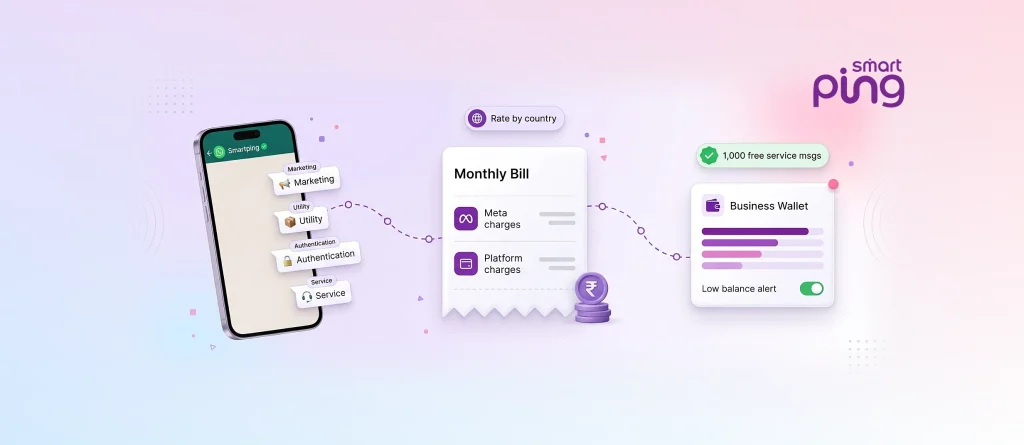
WhatsApp Business API Pricing in India: Cost Components Explained
If you are planning WhatsApp Business API pricing into an enterprise budget, these two components make up the whole picture....

WhatsApp Business API Provider in India: 10 Questions to Ask
10 Questions to Ask a WhatsApp Business API Provider in India Before You Sign A WhatsApp Business API provider in...
Smartping at World AI Summit 2026: AI Voicebot and WhatsApp AI Chatbots for Enterprises
Bengaluru, 21 October 2026: Smartping, a Meta Business Partner and enterprise communication platform, showcased its AI Voicebot and WhatsApp AI...
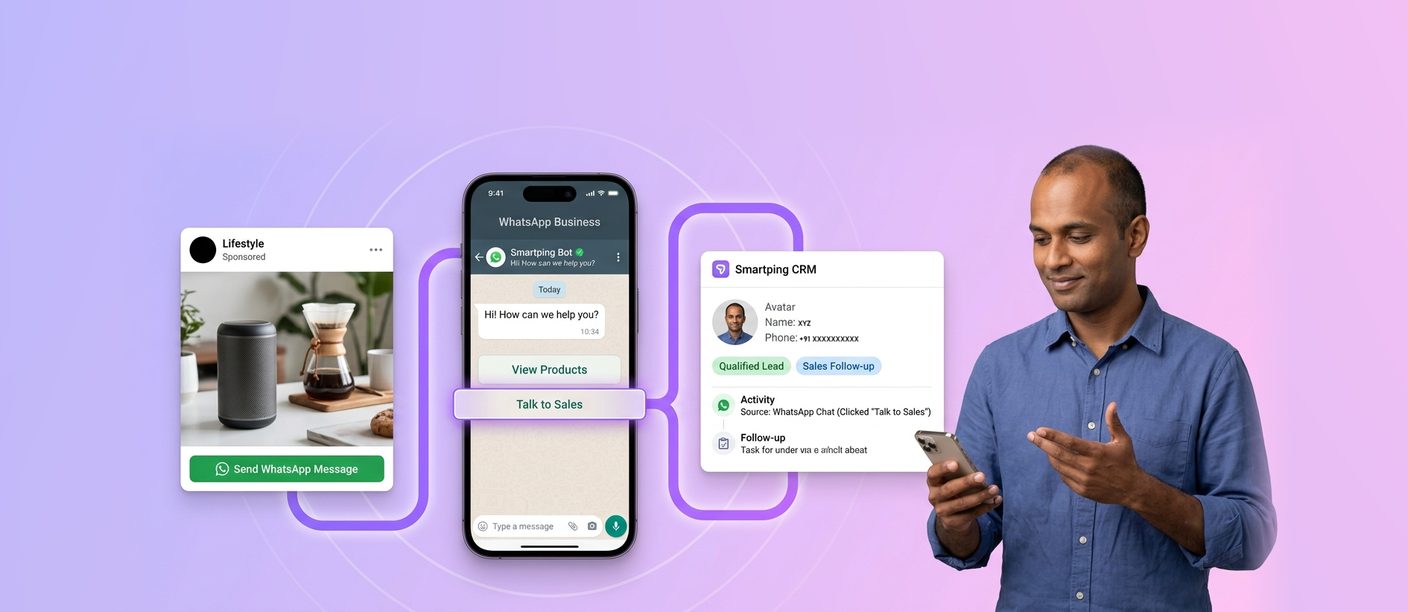
WhatsApp Ads Guide: How to Run Click-to-WhatsApp Campaigns in Ads Manager and Convert Chats into Leads
WhatsApp ads are Click-to-WhatsApp ads: Facebook and Instagram ads with a “Send WhatsApp Message” button that opens a chat with...
How to Send Messages with the WhatsApp API: Templates, the 24-Hour Window and Interactive Messages
To send a message with the WhatsApp API, your system sends a request to Meta’s Cloud API specifying the recipient,...
WhatsApp Business Marketing at Enterprise Scale: From Broadcasts to Customer Engagement
WhatsApp Business marketing at enterprise scale means using the official WhatsApp Business Platform to run personalised, permission-based campaigns and two-way...




 First Floor, Unit F-49, Sector-47, Spaze Boulevard, Gurugram, Haryana 122018