


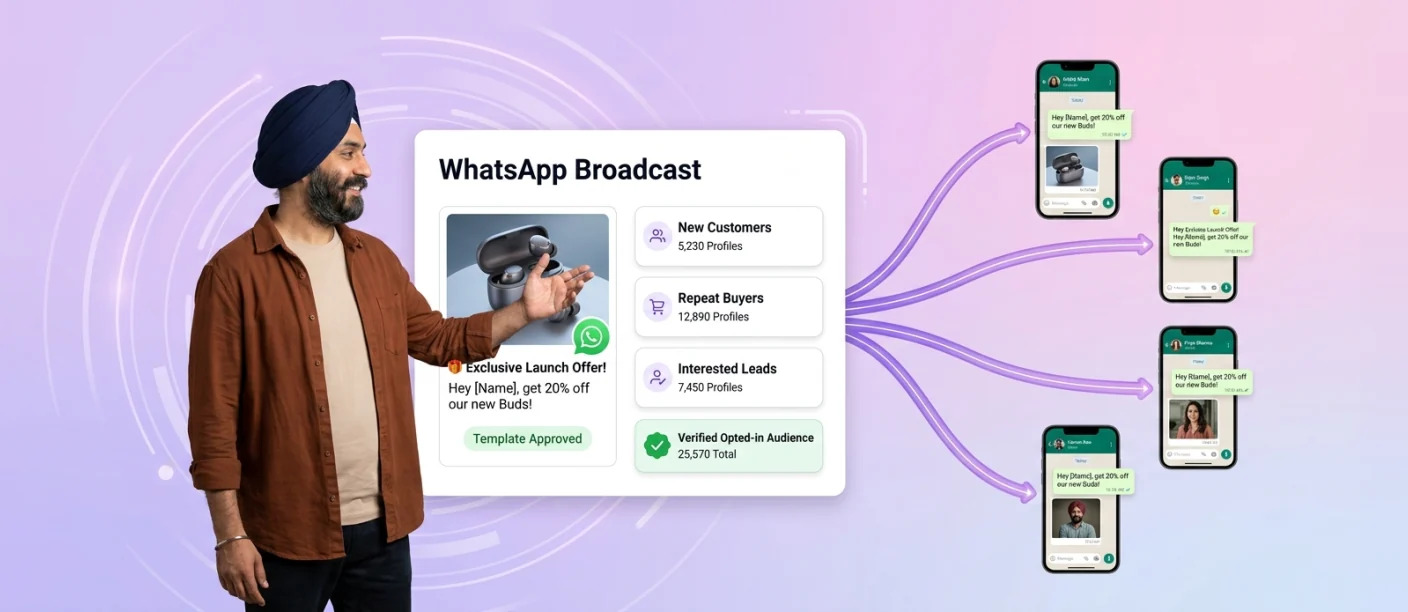
WhatsApp Business marketing at enterprise scale means using the official WhatsApp Business Platform to run personalised, permission-based campaigns and two-way conversations across the customer lifecycle. It is a different discipline from sending one message to a saved contact list: broadcast lists in the WhatsApp Business app suit small shops, while enterprises reaching lakhs of customers need approved templates, segmentation, automation and system integrations.
WhatsApp’s scale explains the shift. More than 3 billion people use WhatsApp every month, and Meta reported that paid messaging within WhatsApp crossed a $2 billion annual run-rate in Q4 2025, a sign of how quickly businesses are moving marketing and service into the chat.
This guide covers how enterprise WhatsApp marketing differs from app broadcasts, the campaign types that drive engagement across the customer lifecycle, how to scale messaging limits, consent requirements in India and how to protect your number’s quality. Smartping is an official Meta Business Partner offering WhatsApp Business Messaging for enterprises.
From Broadcast Lists to Enterprise WhatsApp Marketing
Broadcast lists in the WhatsApp Business app send one message to up to 256 saved contacts from a single device, with no automation, minimal analytics and no connection to business systems. Enterprise WhatsApp marketing runs on the WhatsApp Business Platform instead:
| Capability | Broadcast lists (app) | Enterprise marketing (Platform) |
|---|---|---|
| Audience | Up to 256 saved contacts per list | Opted-in customers at scale, within messaging limits |
| Personalisation | The same message for everyone | Template variables, segments and triggers from CRM data |
| Message formats | Text and media | Rich templates, carousels, catalogs, buttons and WhatsApp Flows |
| Two-way engagement | Manual replies from one phone | Chatbots, live agents and routing to the right team |
| Integration | None | CRM, CDP, ecommerce, contact centre and order systems |
| Measurement | Minimal | Delivery, read, click, reply and conversion tracking |
Unofficial bulk-sending tools that bypass both routes put your number at serious risk. Read why in our guide to the official Meta WhatsApp API.
WhatsApp Marketing Across the Customer Lifecycle
Enterprise programmes treat WhatsApp as an engagement channel, not a megaphone. Campaigns map to each stage of the customer lifecycle:
1. Acquisition: Click-to-WhatsApp ads start conversations that a chatbot qualifies before handing high-intent leads to sales.
2. Activation: Welcome journeys, onboarding tips and first-purchase offers sent after opt-in.
3. Conversion: Product launches with carousels and catalogs, abandoned cart reminders and in-chat checkout.
4. Retention: Loyalty updates, replenishment reminders, renewal prompts and personalised recommendations.
5. Win-back: Targeted offers to lapsed customers who remain opted in.
Examples by Industry
Retail: New arrivals and sale announcements to opted-in shoppers.
BFSI: Pre-approved offers or policy renewal reminders.
D2C: Product launches with catalog or carousel messages.
EdTech: Admission deadlines and course launches to past enquirers.
How to Build an Enterprise WhatsApp Marketing Programme
1. Choose the official API route: Access the WhatsApp Business Platform through Meta or an approved partner.
2. Connect your CRM or CDP: Set up automatic updates for customer segments, triggers and opt-in status.
3. Prepare contact data: Clean duplicates, standardise numbers in international format and remove inactive contacts.
4. Verify consent: Confirm every recipient has opted in to receive WhatsApp messages from your business.
5. Segment recipients: Group customers by behaviour, location, purchase history or interests.
6. Create approved templates: Use the correct message category, with clear opt-out language for marketing messages.
7. Design for replies: Add buttons, Flows or a chatbot so customers can ask questions, book or buy inside the chat.
8. Schedule campaigns: Send messages when your audience is active and stagger large sends.
9. Monitor performance: Track results in real time and watch for drops in quality or spikes in blocks.
Scaling Reach: WhatsApp Business API Messaging Limits
On the API, messaging limits define the maximum number of unique WhatsApp users a business can send business-initiated messages to, outside a customer service window, within a moving 24-hour period.
Portfolio-level limits: Limits are set for your Meta business portfolio and shared by all its phone numbers, so one number can use the entire allowance.
Starting point: New business portfolios start at 250 unique users per 24 hours.
Business verification: Completing verification, through Meta or partner-led verification, is the main route to raising the limit to 2,000.
Automatic scaling: Above 2,000, Meta raises the portfolio’s limit by one level within six hours when message quality is high and at least half the current limit has been used in the last seven days, progressing up to unlimited.
Note that limits count unique recipients, not total messages. Sending several messages to the same customer counts once.
How to Scale Messaging Sustainably
1. Complete business verification to unlock the 2,000 tier.
2. Message only opted-in customers who expect to hear from you.
3. Keep quality high by sending relevant, well-timed messages that don’t trigger blocks or reports.
4. Use your limit consistently, since automatic scaling requires regular usage.
5. Follow Meta’s policies for templates, content and categories.
Planning to scale your WhatsApp marketing? Assess your messaging limits, opt-in readiness, campaign setup and engagement strategy with a WhatsApp Marketing Readiness Audit from Smartping.
Consent and Opt-In Requirements in India
Explicit opt-in: WhatsApp requires businesses to obtain opt-in before sending business-initiated messages. Opt-in should clearly state that the customer will receive messages on WhatsApp from your business.
Consent records: Keep records of when, where and how each customer opted in, such as a checkout checkbox, website form, QR code or Click-to-WhatsApp ads conversation.
Withdrawal mechanisms: Make opting out easy, for example through a “Stop” reply or opt-out button, and honour requests promptly across all systems.
Responsible data handling: Under India’s Digital Personal Data Protection Act, 2023, businesses are accountable for how they collect, use and store personal data, including the consent behind it. Meeting WhatsApp’s opt-in rules does not by itself establish compliance with the DPDP Act, so businesses should review their consent notices, purpose limitation and data retention with legal advisers.
Best Practices for High-Engagement WhatsApp Campaigns
Segment your audience: Send different messages to new customers, repeat buyers and lapsed users.
Personalise: Use names, recent purchases or preferred categories in template variables.
Time it well: Send when customers are active, and avoid late nights.
Manage frequency: Too many promotional messages drive blocks.
Use rich templates: Images, carousels and buttons can make messages more engaging than plain text.
Build two-way journeys: End each campaign with a button, question or Flow so customers can reply, book or buy without leaving the chat.
A/B test: Compare creatives, CTAs and timing on smaller segments before scaling.
Track engagement: Measure every stage of the funnel.
| Metric | What It Shows |
|---|---|
| Delivery rate | Data quality and number health |
| Read rate | Relevance and timing |
| Response rate | Message engagement and CTA strength |
| Conversion rate | Business impact of the campaign |
To build campaigns around these practices, explore our guide to the WhatsApp Marketing Platform (peer link).
Protecting Number Quality at Scale
Common Causes of Restrictions
1. Poor consent practices: Messaging purchased or scraped lists.
2. User blocks and reports: Sending irrelevant or unexpected messages.
3. Low-quality messaging: Excessive frequency or misleading content.
4. Policy violations: Promoting restricted products or misusing template categories.
How to Reduce the Risk
1. Monitor quality ratings and act quickly on any decline.
2. Pace large campaigns instead of sending to your full audience at once.
3. Pause and review when blocks spike, before continuing.
4. Fix the root cause by tightening segmentation, refreshing consent and improving content.
No approach can guarantee protection from restrictions, but consistent, consent-led messaging significantly lowers the risk. For practical controls during high-volume periods, see our guide on WhatsApp festive marketing campaign controls.
How Smartping Supports Enterprise WhatsApp Marketing
Smartping’s official API-based WhatsApp solution supports enterprise marketing programmes with:
Rich campaign formats: Catalogs, carousels, images and videos with interactive buttons.
Marketing Messaging Opt-in control: Pause all marketing messages with one toggle while utility and authentication messages continue.
Template Pause: Automatically halts campaigns if Meta reclassifies a utility template as marketing.
MM Lite API: Optimised marketing message delivery, with performance benchmarks and recommendations.
Automation: Chatbots, WhatsApp Flows and live agent handoff to manage replies at scale.
Analytics: Reach, engagement, conversions, CSAT and ROAS tracking.
Enterprise integrations: Connections with CRM, contact centre and order management systems.
Multilingual messaging: Support for 100+ languages.
Frequently Asked Questions About WhatsApp Business Marketing
1. What is WhatsApp Business marketing?
It is the use of the official WhatsApp Business Platform to send personalised, permission-based campaigns and hold two-way conversations with customers, integrated with business systems such as CRM and ecommerce.
2. How is enterprise WhatsApp marketing different from a broadcast list?
A broadcast list sends the same message to up to 256 saved contacts from one phone. Enterprise marketing uses approved templates, segmentation, automation and integrations to engage opted-in customers at scale and measure results.
3. What is the WhatsApp Business broadcast limit?
In the WhatsApp Business app, each broadcast list can include up to 256 contacts. On the WhatsApp Business API, limits are based on unique recipients per rolling 24 hours, starting at 250 and scaling up to unlimited with verification and quality.
4. How can I send a broadcast in WhatsApp Business to more than 256 contacts?
Use the WhatsApp Business API, which allows approved template campaigns to opted-in customers at much higher volumes, based on your messaging limit.
5. Do customers need to save my number to receive WhatsApp marketing messages?
In the app, yes. On the API, no; customers must have opted in instead.
6. Can WhatsApp marketing campaigns lead to account restrictions?
Yes. Messaging without consent, high block or report rates, low-quality content and policy violations can lead to restrictions.
7. How can I increase my WhatsApp Business messaging limit?
Complete business verification, message only opted-in customers, maintain a high quality rating and use your current limit consistently so Meta’s automatic scaling can raise it.
Building an Enterprise WhatsApp Marketing Strategy
Enterprise WhatsApp marketing rests on five foundations: verified consent, the official platform, personalised lifecycle journeys, two-way engagement and consistent message quality. Broadcast lists suit small, saved-contact audiences, while the WhatsApp Business Platform supports enterprise programmes that grow safely over time.
Explore Smartping’s WhatsApp Business Messaging to build WhatsApp marketing programmes on the official API.